AI + WhatsApp
Take control of your money with clarity.
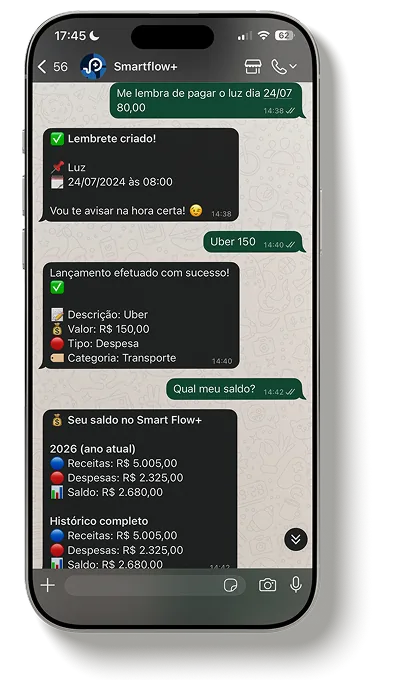
Track income and expenses just by chatting on WhatsApp. Speak, type or send a photo: the AI understands it, picks the category and updates the app instantly.
Money management made simple
No spreadsheets, no complicated apps, no change to your routine.
Your time is precious. Smart Flow+ helps you organize and keep track of your spending the simple way, in the chat you already use every day.
A clear view of your month
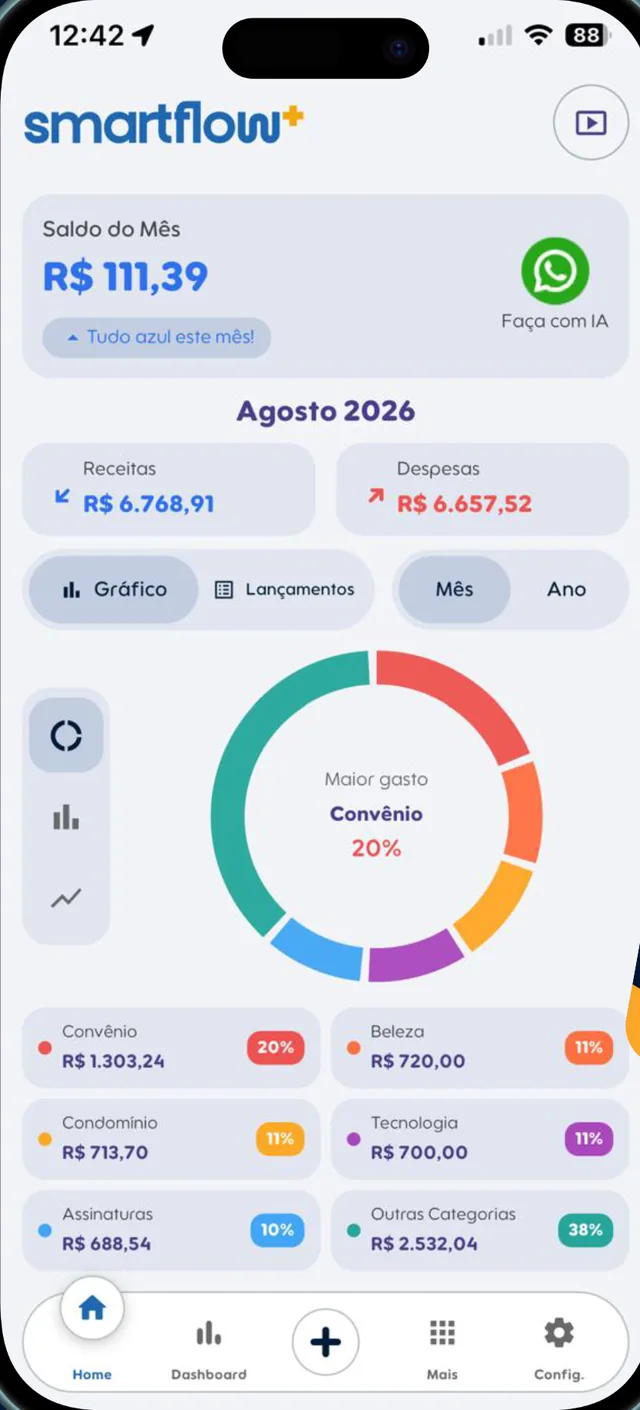
Balance, income and expenses side by side. Know exactly how much you can still spend.
Automatic organization
Just ask the AI and it’s done. No more typing everything by hand.
Straight-to-the-point reports
Charts that turn numbers into decisions.
How it works
Your money, organized in one message
Send texts, voice notes, photos and even PDFs of your expenses. The AI understands them and updates everything for you.
- 1
Send a message
On WhatsApp or right in the app: “Pharmacy 25.50”, a voice note or a photo of the receipt.
- 2
The AI gets it
It finds the amount, whether it’s income or an expense, the category and the date.
- 3
Done in the app
Balance, charts and reports updated instantly, with a confirmation right in the chat.
Try asking
- “Grocery expense of 55.50”
- “Got my 2500 salary”
- “Remind me about rent every 5th”
- “Total expenses this month?”
- “How are my finances?”

App screens
Everything you need in one place
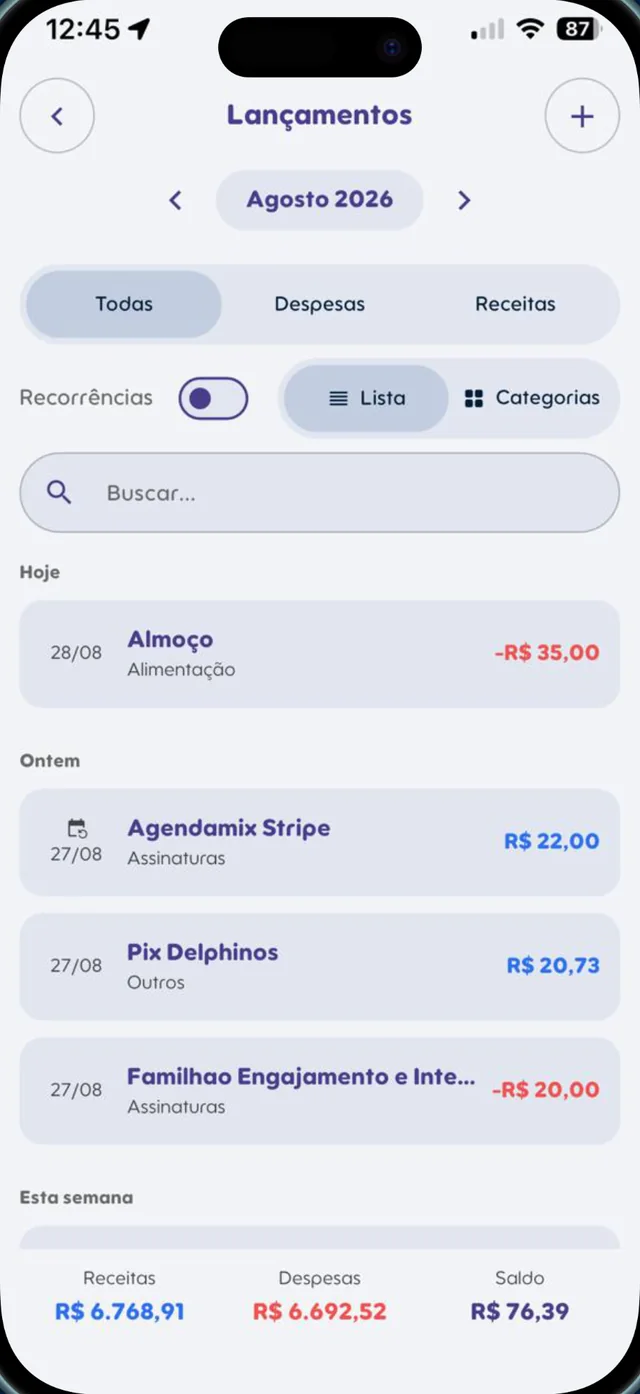
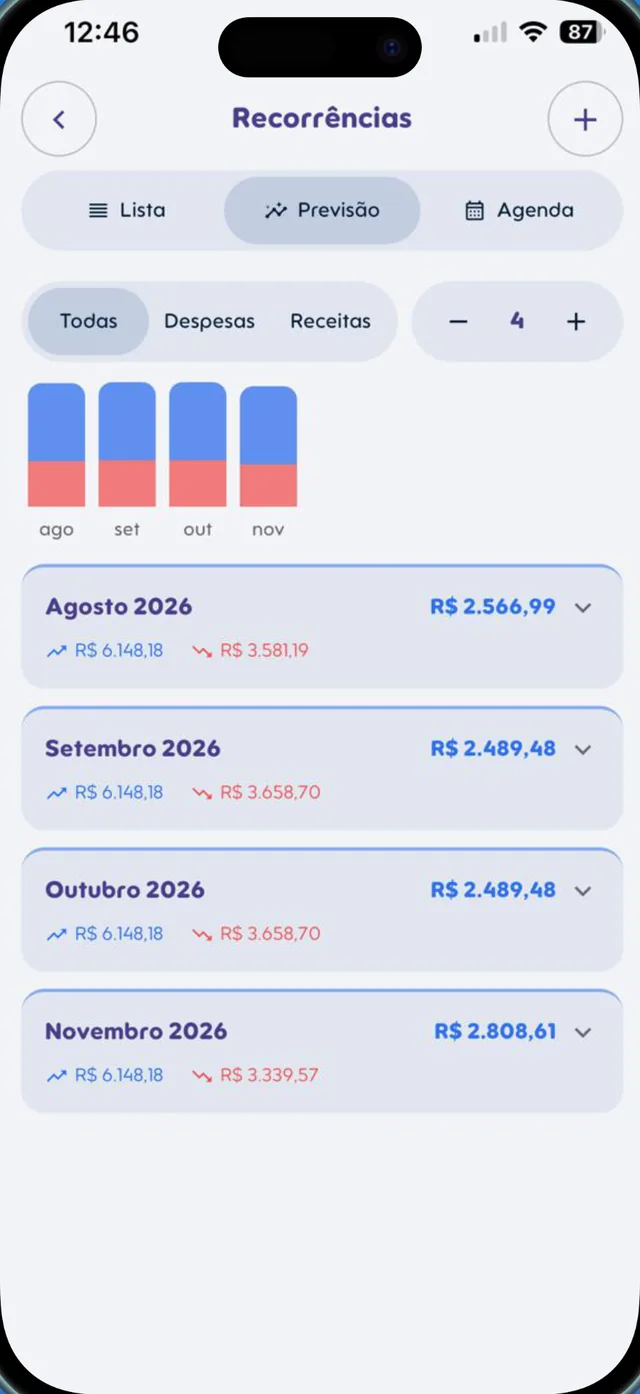
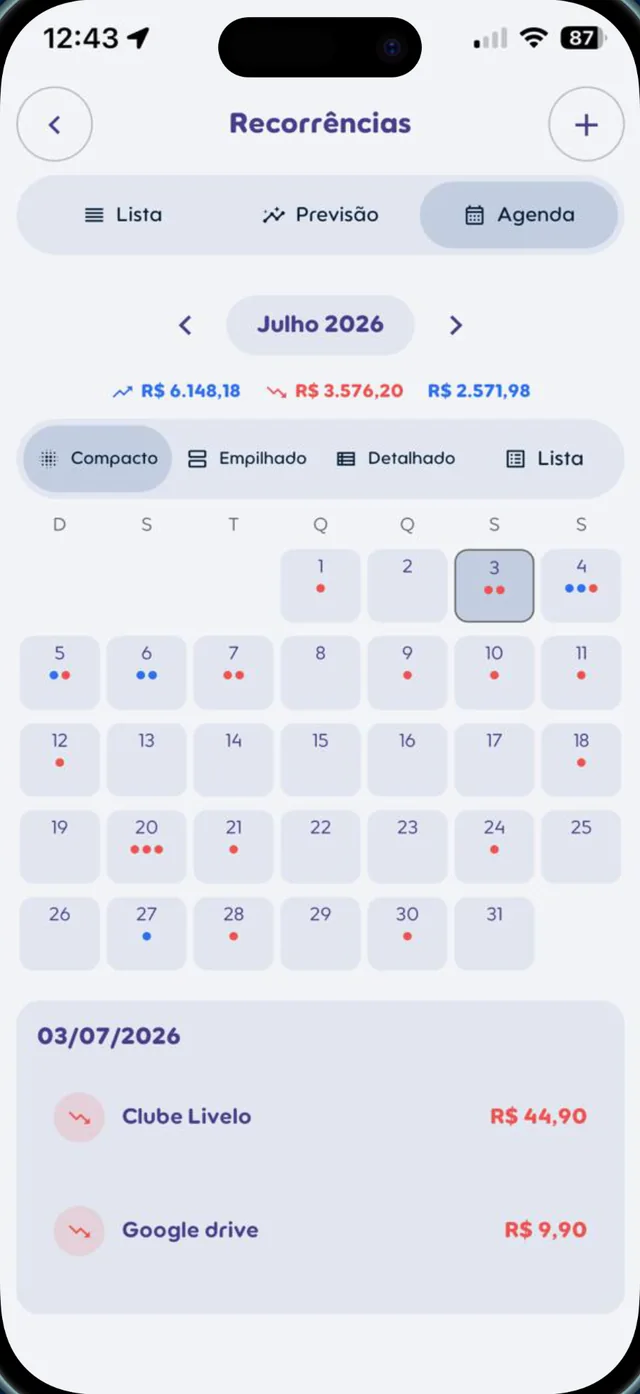
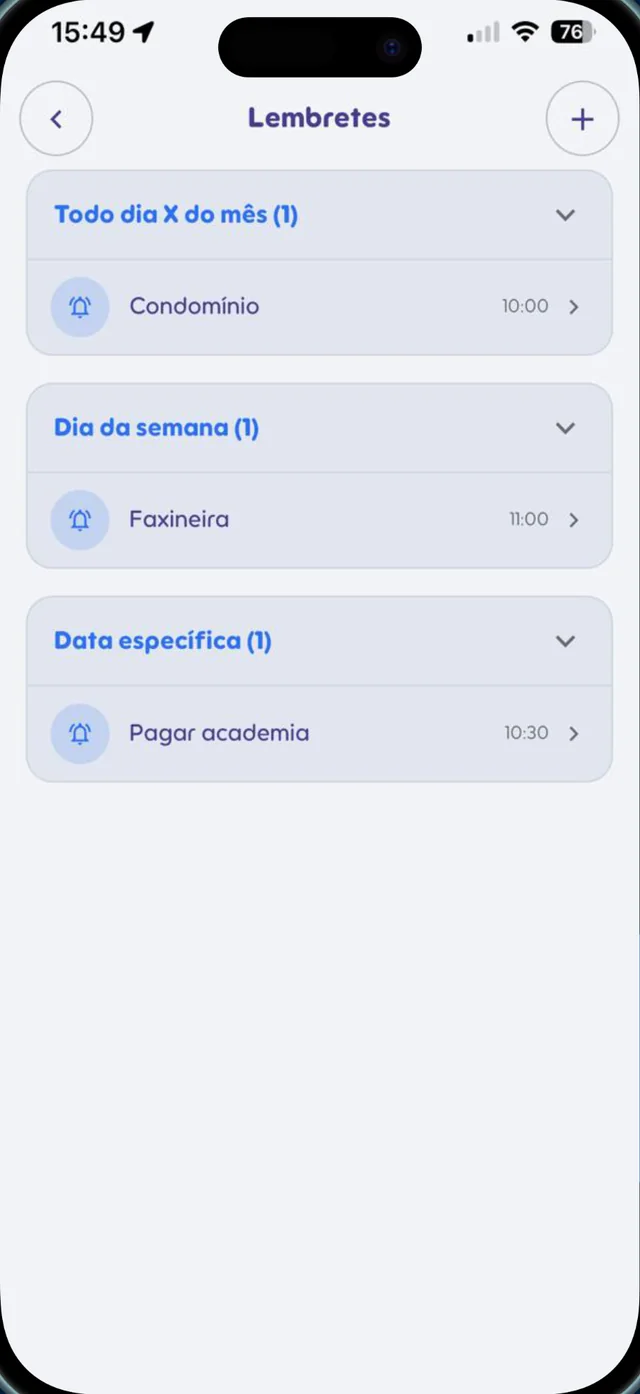
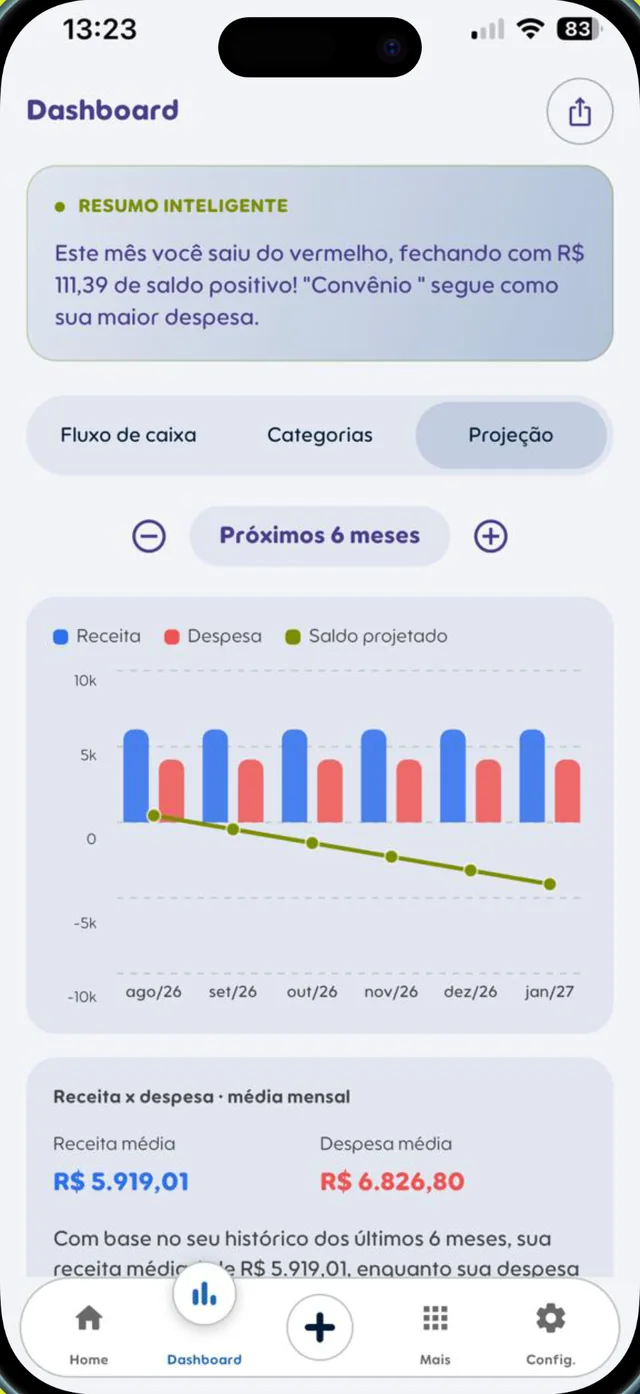
Smart Flow+ has a brand-new app, with a fresh look and new features. Screens shown in Portuguese.
Features
Built for clarity, not extra work
Monthly overview
Balance, income, expenses and a chart of your biggest categories, right on the home screen.
Entries via WhatsApp
Text, voice, photo or PDF. The AI records it and replies with a confirmation.
Recurring transactions
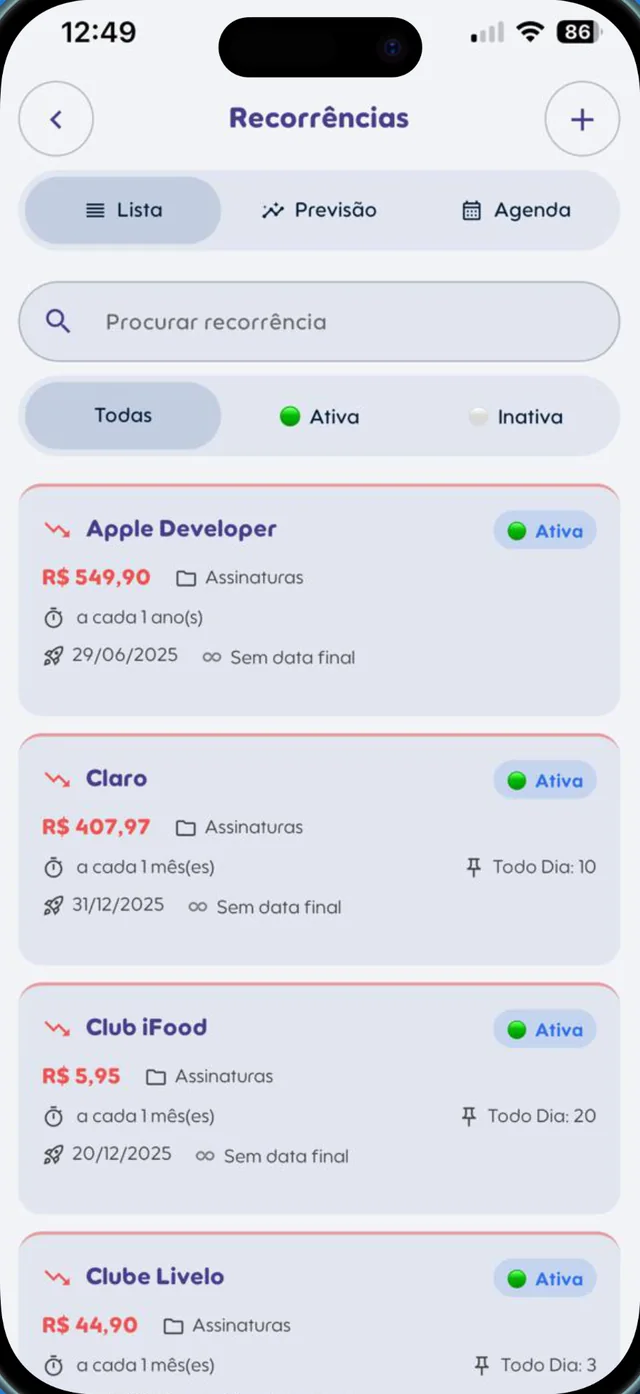
Subscriptions, rent and fixed bills added automatically every month, week or year.
Financial calendar
A calendar with everything coming in and going out on each day of the month.
Forecast
See how the next months should close based on your recurring transactions.
Reminders
Every Xth of the month, on a weekday or on a specific date.
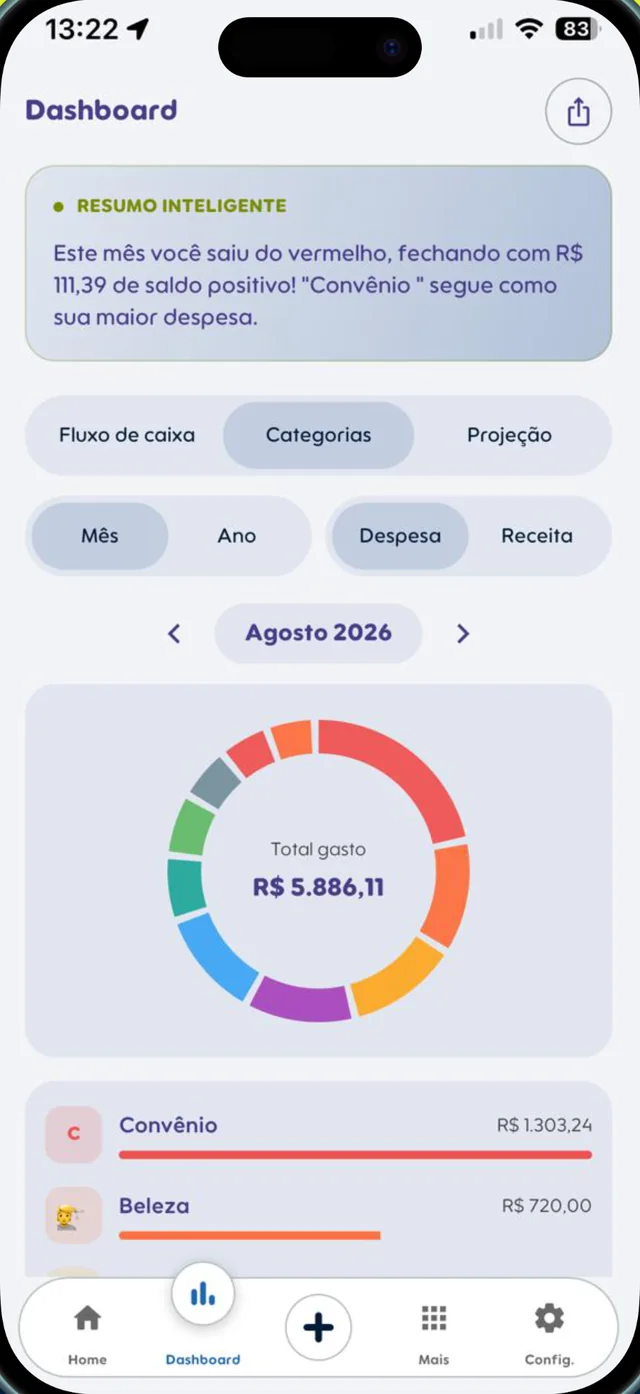
Dashboard and smart summary
Cash flow, categories and projection, with a monthly summary written by the AI.
Three languages
Use the app and chat with the AI in English, Portuguese or Spanish.
Reviews
People who use it recommend it
Reviews from Brazilian users, translated from Portuguese.
“Excellent! Now I have a perfect overview of my income and expenses. I don’t even need to open the app to record my spending, I handle everything with a message.”
“Great app! I have total control of my money. What helps most is being able to record everything straight on WhatsApp. TOTAL convenience when it comes to remembering where I spent and organizing my bills. Highly recommend!”
“The everyday convenience is incredible. Forget those complicated spreadsheets! I solve everything on WhatsApp: just send a message and the expense is recorded. Impressed by the speed and accuracy.”
“Great app. I have total control of my spending, it’s so easy to just put my expenses and income on WhatsApp. TOTAL convenience every day. It also helps me remember when bills are due. Recommend it!”
“Excellent app! I can control my spending in a much simpler way. I just send a message on WhatsApp and everything gets organized. The everyday convenience is incredible, and the bill reminders help a lot.”
“I really like how practical it makes my day. I don’t need to open spreadsheets or waste time organizing everything, I just send a message and it’s recorded. It makes my routine lighter, more organized and stress-free.”
Do I have to type every expense in the app?
No. You can send a message to the Smart Flow+ WhatsApp and the AI records it for you. If you prefer, you can also add it right in the app.
What kind of message does the AI understand?
Text (“Pharmacy 25.50” or “Gas 120 yesterday”), voice notes, photos of receipts or invoices, PDFs, bank notifications and even a link to a payment receipt. It finds the amount, the date, whether it’s income or an expense, and the category. If it isn’t sure, it asks before saving.
Can I check my spending on WhatsApp?
Yes. Just ask in your own words, for example: “How much did I spend this month?”, “How much did I earn in March?”, “What was my balance in July?” or “How are my finances?”. The answer comes right away in the chat. Send “Help” to see more examples.
Can I set reminders and recurring transactions?
Yes, just ask in the chat. Reminders: “Remind me about rent every 5th” or “Remind me to pay the gym every Friday”. The reminder is saved in the app and, on the day, arrives on your WhatsApp asking: “Already paid? Reply paid [amount] to record it!”. Reply “paid 1200” and the transaction is saved right away. Recurring: “Add 200 for internet every month” or “Recurring salary of 2,800 every 5th”.
Which languages are supported?
English, Portuguese and Spanish, both in the app and when chatting with the AI.
Which phones does it work on?
Android and iPhone. Download it from Google Play or the App Store.
Can I try it before subscribing?
Yes. When you create your account you get a free trial period to explore every feature.
Managing money isn’t about cutting everything. It’s about clarity and direction.
Take the first step to organize your money, the simple way.

 Point your camera and download now